Thanks to Ms. Ihle for always lending an ear. Your concern for others is duly noted!
Shout out to Mrs. Gourley for being the backbone of our student services department. I think I speak for all of us when I say how grateful we are to have you .
Thank you Mr Boucher for encouraging me to be creative with my masonry projects and always supporting and putting a positive impact on your students
Shout out Mr. Mann for chatting it up about music and cars !

Joe Pendleton
Mr McDormand, I’m extremely grateful for how you believed in me and continued to cheer me up all the way from freshman year until my last year of High School. I will always remember our bond upon our liking of Kid Cudi! 🤘🌑
Thank you Mrs. Deveau for being such a supportive teacher.
Thank you Mr Charbonneau for being an amazing kind teacher who always helped to make sure we understood what you were teaching
Thank you Mrs.DiMauro for being a good teacher for the past 4 years. I’ve learn a lot and achieve a lot of things because of you. I will always remember those days that you brought us cookies, hope to see you again someday
Mr. Arsenault even though you would yell at me and Bianca you truly were an amazing teacher and I wish I had you every year. Your teaching style was very helpful for me and I truly LEARNED in your class. Thank you for that and wish you the best!

Thank you!
Kayla Panneton
I want to thank my shop teachers Mrs Moskevitz and Mrs Malynn, they have guided me throughout my high school shop experience in more ways than one and I am very thankful. They are great teachers and with one retiring this year, I’m sure everyone will miss her! Thank you so much for all you’ve done as my teachers to help me with success on my CNA journey!
-Madison Paré, 2026 Senior.
Ms. Desberg is pretty awesome
Emma Victoria Kefalas is so kind and helpful
Thank you Ms. Mo for being the best teacher in the building! You always cheer me up and give so much time to me. xoxoxo
Ella Stanley,

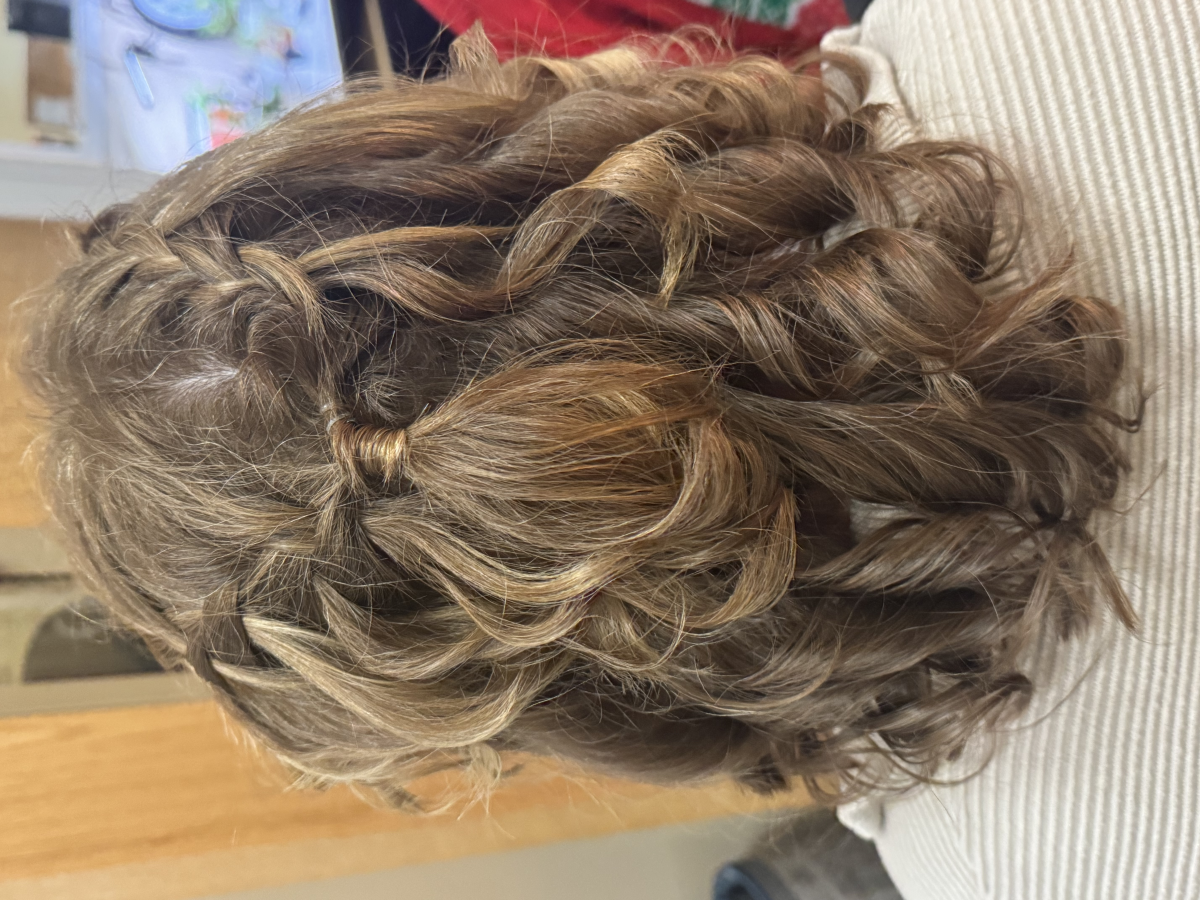
I just wanted to say a big thank you for your amazing customer service and the fantastic hairstyle you gave me! You were so kind, attentive, and truly talented – I absolutely love how it turned out.

Thanks again for making my visit so enjoyable​ Mrs. Z
A big THANK YOU to Dental Shop for their innovative ideas and for refreshing our bulletin boards!!! Their creativity truly brightened up our space! *AP Office*
I want to give a huge thank you to our IT department. They have always been extremely helpful with any IT or network problems that I have had.
Shoutout to Tina on security for always saying hi to me and being super kind always!!!!!!!
Thank you Mr Lavigne for always being positive when teaching even when it’s difficult.
Thanks to Mr. B (guidance) sorry for never emailing you but thank you for always making time for me 🙂
Thanks to Ms. Teixeira for being such a great calculus teacher!
Thank you to. my advisory group for allowing me to be a part of your life at school!!!!!!!!
I’m grateful for all my cosmetology girls, week 2, for being the bestest people to be around and making shop a fun environment to look forward to💗
Thank you to Hunter '29 and Kylee Cannon '27 for your donations to the annual Whittier Tech Food Drive. Your donations will greatly assist those with food insecurities.

"No one has ever become poor by giving." – Anne Frank
Thank you, Ms. Sweeney, for always showing up and giving your extra minutes to students and staff. We appreciate you so much!
Shout out to Ms. Santos and the journalism club for the best newsletter ever produced at Whittier!
Thank you Mr. Hayes for actually teaching me math! (and for letting me nap)
Thank you Ms McDonald for being so patient in math and being a calm person! You’re my favorite teacher
Thank you Mr.mann for being a guy
Shoutout to Jamien R. For buying me a cookie during lunch.
Thank you Mr. Mann for joking with us
Thank you to Mrs.Penny for being an amazing teacher and laughing with my class when we joke around. We love you and whenever you’re absent we miss you so much. 😊❤️
Thank you Mr. Beauregard for being awesome and a great teacher!
Thank you Mr. Pacheco for being a cool teacher
Shoutout to G-Money Mr. Gerber he’s the goat
Shoutout to Mrs. Sarno and Ms. Riccio, best Business and Marketing shop teachers 🙂
Thank you Mr Decoste for making biology fun and being an amazing teacher who understands their students no matter what. Thank you for also telling your students to let you know if they are having a bad day. It helped me feel better in your class when I told you I was having a rough time. 🙂
Thank you Ms. Nichols for being so flexible and generous with your time!
Thank you Mr. Allen for being super chill, awesome, and cool!
Shout out to Ms. Deveau and her class on being so awesome! Love the energy :)!
Thank you to Dr. M and Ms. D for spearheading an awesome SPIRIT WEEK!
Shout out to Mr. Bonifacio for always being there when needed! We run you ragged, and you still rise to the occasion! Thank you for being you.
Thank you, Mrs. Nichols, for always being my biggest supporter! Could not do this without you!
Keyli Morales is so nice she bought me ice cream yesterday she is my bff 🥳🥳🍦
Thank you, Ms. Bragg, for always being available to help your fellow teachers!
🌟 Shoutout to Haylee S. Hang for being such a respectful, smart, and responsible child! 🎉👏 Keep shining bright and setting an amazing example for everyone around you! ✨
Hailey is the kindest person ever. I personally would give this person a shout out🙏🏼👐🏼😁!
Thank you, Mr. Valhouli, for bringing me lunch! That was so thoughtful of you.
Thanks Mr. Burke, for being an inspiration to both your colleagues and students.
Thank you to Cheryl and the Security Team for always having WT's back!
Whittier tech have the best principals in the world and the cookie’s.
Mr. Boringa Is the best advisory teacher
Mrs. Katowski is great teacher such a great teacher all the best of lucks to her!!!
Thank you to Ms. Devenney for being a helpful, insightful colleague & teacher.
Health Assisting Students are awesome!
Thank you to Mrs. Costello for ALWAYS being available for our students! We are so very lucky to have you!
A BIG thank you to Mr. Kelly for taking time in his freshman math classes to add folders to Notability!
Welcome to the Whittier Family, Mr. Totten!
Thank you to Mrs. Nichols for always willing to stop and give a helping hand with technology and instructional support! We appreciate you!
Thank you to Ms. Medina for lending me her classroom to work with the Carpentry Students!
Gratefully, Ms. Rossi
The Student Services Department at Whittier Tech is the BEST!

If you would like to renew your YouUplift Kindness eWall subscription, then please click on one of the following:

If you feel you are receiving this message in error, then please contact us at:
doug@YouUplift.com
276-733-9204
Yes! There are no Sign-Ups and no Log-Ins required in order to participate, as we collect no data or information of any kind. The platform is currently being used by large and small school systems throughout the country in almost all 50 states, and it has passed 100% of all school privacy regulations to date.
Yes! You can have all messages sent to as many faculty email inboxes as you’d like for Approval, and we can change or add to this list at any time.
Yes! Many of our schools do this, because if your students take to it – then the messages can begin to overflow your school email inbox at times. Not only will a separate gmail account prevent this from happening, but you can also make it accessible to all faculty members if you choose to.
You can choose one of three ways to display your messages onto a facility TV monitor.
  1. HDMI CORD – Some schools will access their Kindness eWall on a laptop and run an HDMI cord to their TV monitor.
  2. CAST – Some schools will access their Kindness eWall via a tablet or device and will cast it to their TV monitor via a Chromecast or Apple TV device.
  3. SMART TV WITH INTERNET BROWSER – If your Smart TV has an Internet Browser (Samsungs), then you can place your Kindness eWall link in the browser and it will run from there.
Yes! You can edit the text of any message before Approving it. In addition, if you’d like to keep a message but would like to remove an included image… or if you’d like to keep an image and remove the text, then you can do this before Approving the message. Your Rotating Display will only display exactly what you choose to make visible.
You will have a back office ADMIN PANEL that will allow you to delete, edit, and approve messages (individually or in bulk).
You will have a back office ADMIN PANEL that will allow you to customize your colors, logo, title, and font size.
Upon your request, we can replace your current Anonymous Submission Form with a Form from your school’s email system (ex. Google Form). This makes messages come to you with the author’s email address included, and you simply COPY/PASTE the message onto your INSTANT POST Page in order to make it live.

(Note: Because messages are submitted through your school’s email system, the Character eWall collects no data or information – making it fall within all school privacy regulations.)
We can provide your Tech Team with a simple line of code that will allow them to embed your Rotating Display of Approved Messages onto your school website, so that they are visibly scrolling whenever anyone comes to your site.
The system is set to display the 100 most recently Approved messages, as older messages start falling out of the rotation in order to make room for the newer messages. However, we can increase or decrease this number to be whatever you’d like it to be.
Your subscription includes an unlimited number of messages and an unlimited number of displays for everyone in your school for the entire length of your subscription.
Yes and No. Your Character Wall is a web app, but it is not located in an App store. However, this link shows you how you can easily turn your Kindness Wall into an app for any android or apple device: Phone Web App Instructions
Phone App Install Feature
Currently, YouUplift does not have an app located in the App Store. However, the following link provides simple instructions on how to easily turn your Kindness eWall into a homepage app for any mobile device: Phone App Install Instructions
(Great tech assignment for students!)
Website Embed Feature
This feature provides your Tech Team with a simple line of code that would allow you to embed your Rotating Display of Positive Messages into your school website, so that visitors can instantly see your messages.
Social Media Share Feature
This feature places Social Media Share Buttons on your entire Kindness e-Wall webpage or just on your Rotating Display only – whichever you prefer.

Yes! There are no Sign-Ups and no Log-Ins required in order to participate, as we collect no data or information of any kind. The platform is currently being used by large and small school systems throughout the country in almost all 50 states, and it has passed 100% of all school privacy regulations to date.

Yes! You can have all messages sent to as many faculty email inboxes as you’d like for Approval, and we can change or add to this list at any time.

Yes! Many of our schools do this, because if your students take to it – then the messages can begin to overflow your school email inbox at times. Not only will a separate gmail account prevent this from happening, but you can also make it accessible to all faculty members if you choose to.

You can choose one of three ways to display your messages onto a facility TV monitor.
  1. HDMI CORD – Some schools will access their Kindness eWall on a laptop and run an HDMI cord to their TV monitor.
  2. CAST – Some schools will access their Kindness eWall via a tablet or device and will cast it to their TV monitor via a Chromecast or Apple TV device.
  3. SMART TV WITH INTERNET BROWSER – If your Smart TV has an Internet Browser, then you can place your Kindness eWall link in the browser and it will run from there.

Yes! You can edit the text of any message before Approving it. In addition, if you’d like to keep a message but would like to remove an included image… or if you’d like to keep an image and remove the text, then you can do this before Approving the message. Your Rotating Display will only display exactly what you choose to make visible.

You will have a back office ADMIN PANEL that will allow you to delete, edit, and approve messages (individually or in bulk).

You will have a back office ADMIN PANEL that will allow you to customize your colors, logo, title, and font size.

In it’s default setting, your school’s Kindness eWall uses an Anonymous Submission Form in order to comply with all school privacy regulations. Therefore, though you will be able to APPROVE all submitted content before it becomes visible, you will not know who the author of the message is.


HOWEVER, upon your request, we can include a SUBMISSION FORM LOGIN which would require users to enter their email / password in order to submit a message. This would allow you to APPROVE all submitted content before it becomes visible and will also provide you with the email address of each message’s author (whether you Approve it or not).

We can provide your Tech Team with a simple line of code that will allow them to embed your Rotating Display of Approved Messages onto your school website, so that they are visibly scrolling whenever anyone comes to your site.

The system is set to display the 100 most recently Approved messages, as older messages start falling out of the rotation in order to make room for the newer messages. However, we can increase or decrease this number to be whatever you’d like it to be.

Your subscription includes an unlimited number of messages and an unlimited number of displays for everyone in your school for the entire length of your subscription.

Yes and No. Your Kindness Wall is a web app, but it is not located in an App store. However, this link shows you how you can easily turn your Kindness Wall into an app for any android or apple device: Phone Web App Instructions